Live your own life.
Anchorlight keeps your days pointed at what matters to you. Not to your feed. Not to your inbox. Not to your AI.
For Mac, iPhone and the web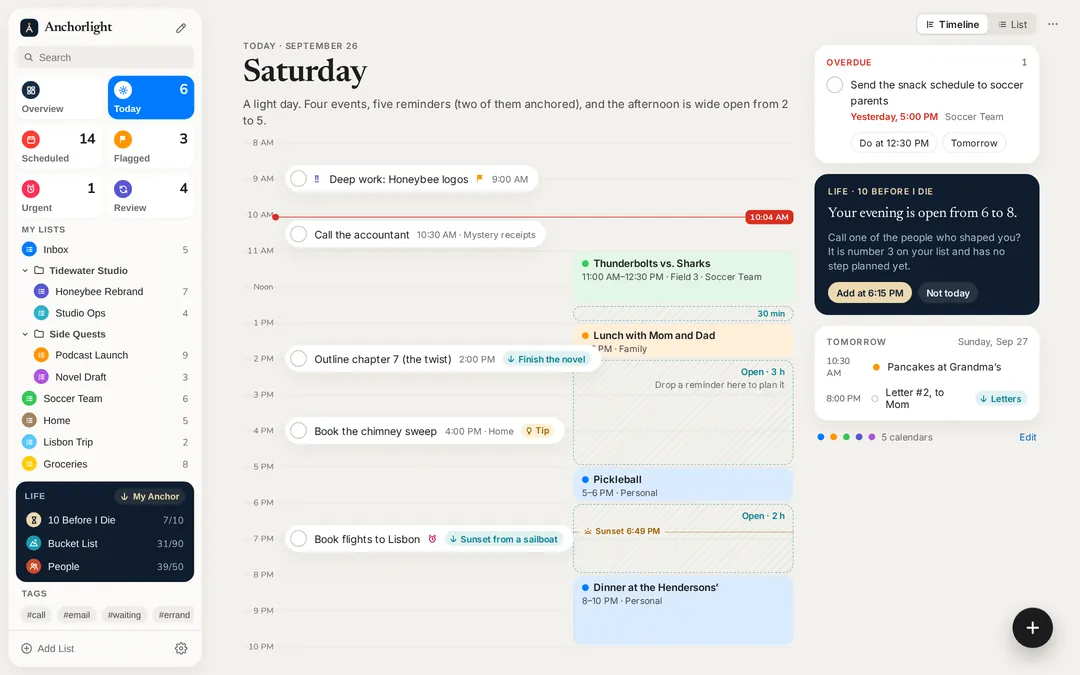
Everything moves faster now.
Your feed picks what you see.
Your calendar picks where you go.
And now AI helps pick
what you think.
None of it is evil. But add it up, and it’s remarkably easy to spend a whole life on someone else’s priorities. Not in one dramatic moment. One meeting, one notification, one helpful suggestion at a time. I started Anchorlight for myself, so my own week ends up on my own list.
Leave a light on.
At night, a boat at anchor shows a single light at the top of its mast. It doesn’t blink for attention or chase anyone. It simply says: I’m here, and I’m holding my position.
Anchorlight does the same for your life.
Start with the end in mind.
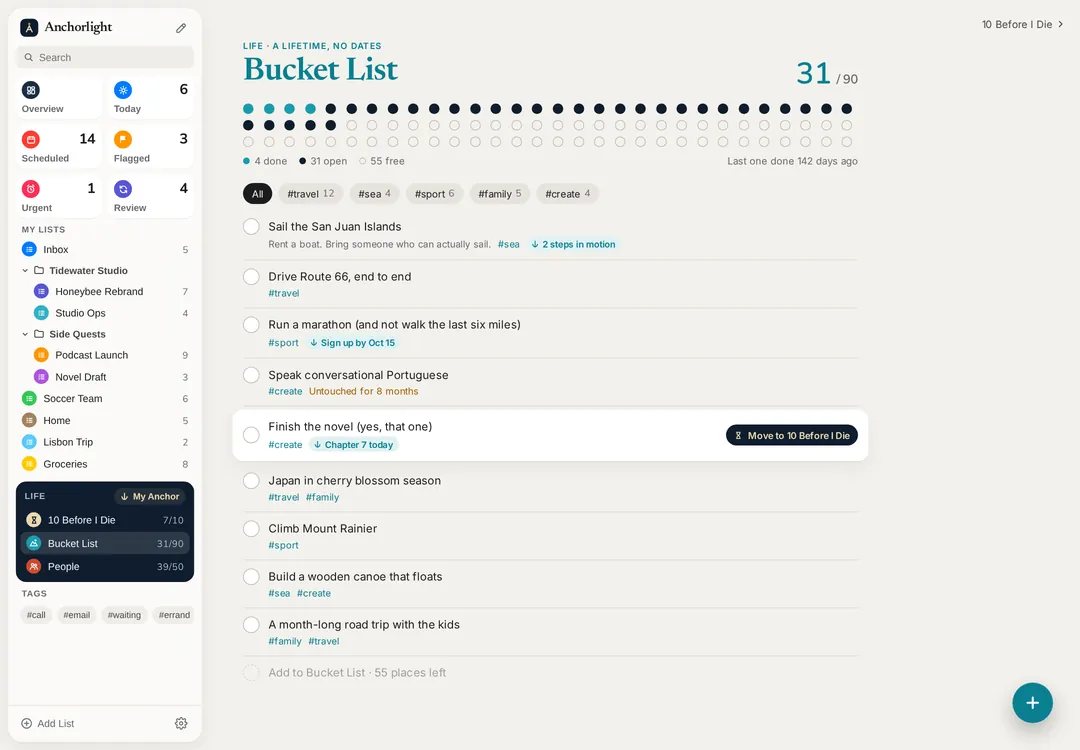
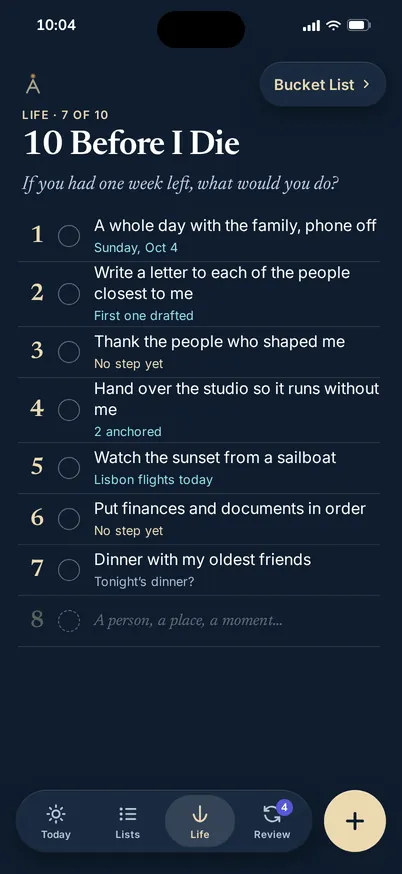
Three lists no productivity app ever asked you to write. Everything else in Anchorlight is measured against them.
If you had one week left, what would you do?
- 1A whole day with family, phone off
- 2Write a letter to my closest people
- 3Thank the people who shaped me
- 4Hand over the studio
- 5Watch the sunset from a sailboat
Ten lines that become your compass. Anchorlight shows which ones moved this week and which have gone quiet.

The places, the firsts, the someday. With what’s next on your horizon, and how long it’s been since the last one.
The few who matter most.







Arranged in circles, the way life actually works. Anchorlight notices when you drift apart, while there’s still time to call.
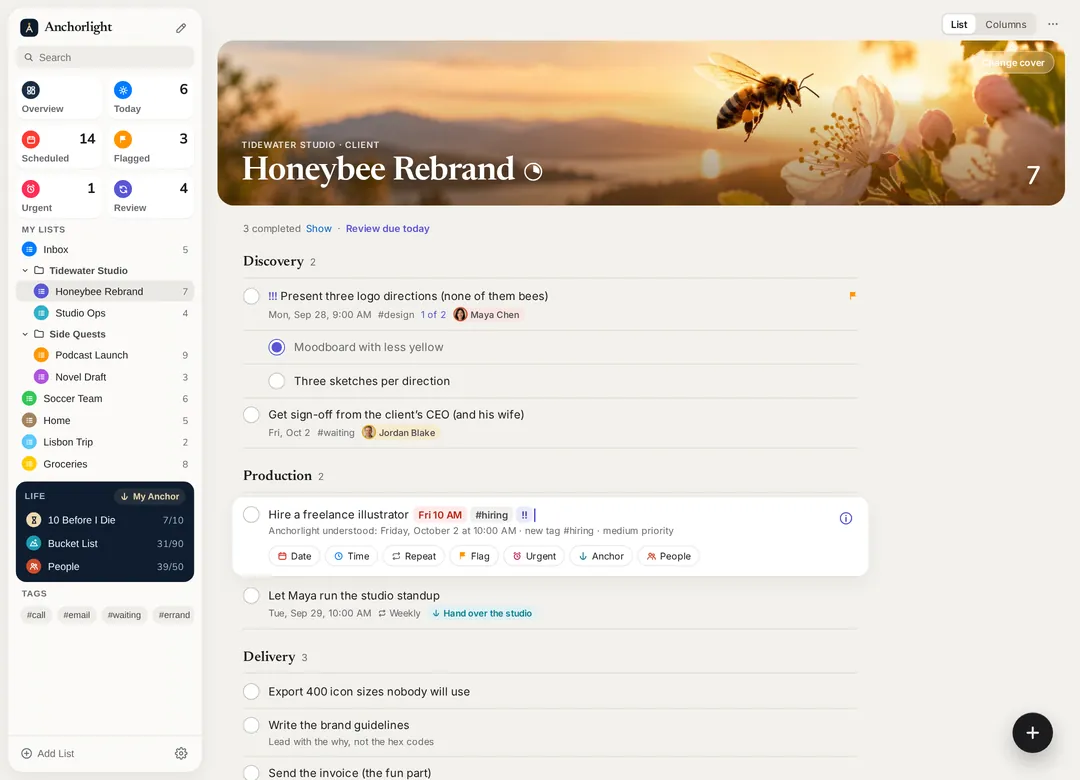
Every task, tied to something that matters.
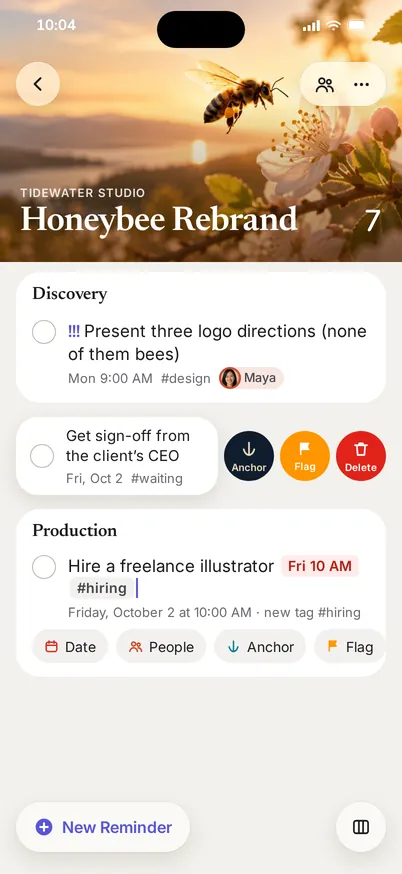
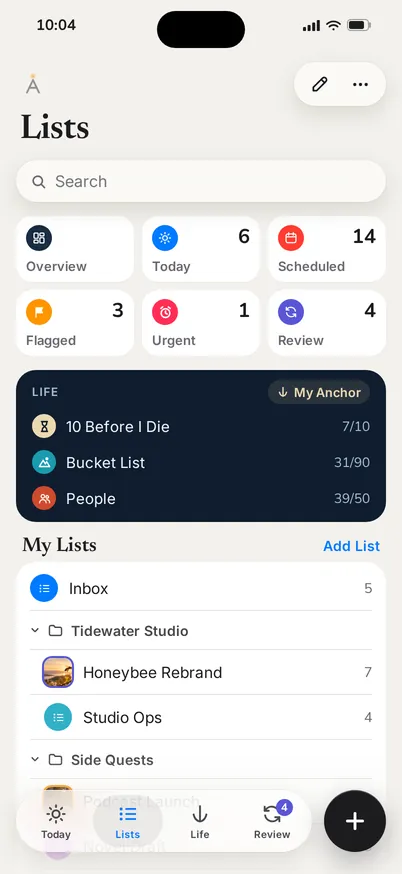
Anchorlight is a complete reminders app. Lists, subtasks, tags, smart lists, dates and places. The difference: any reminder can be anchored to what matters.
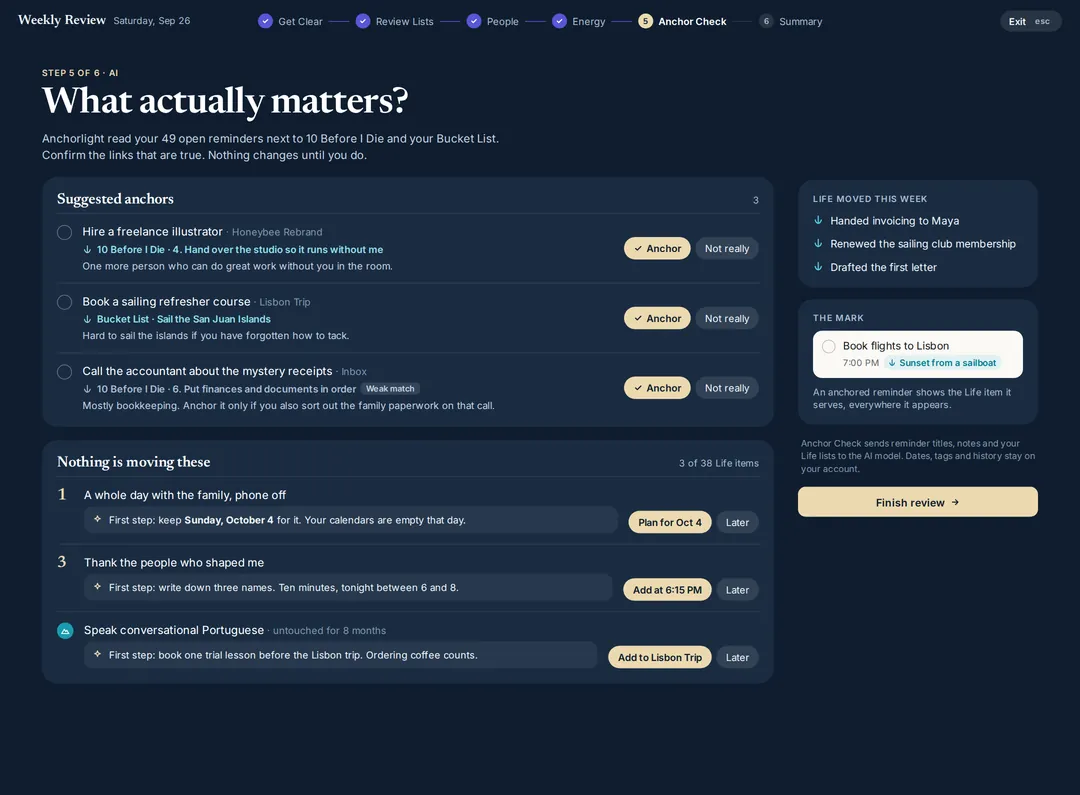
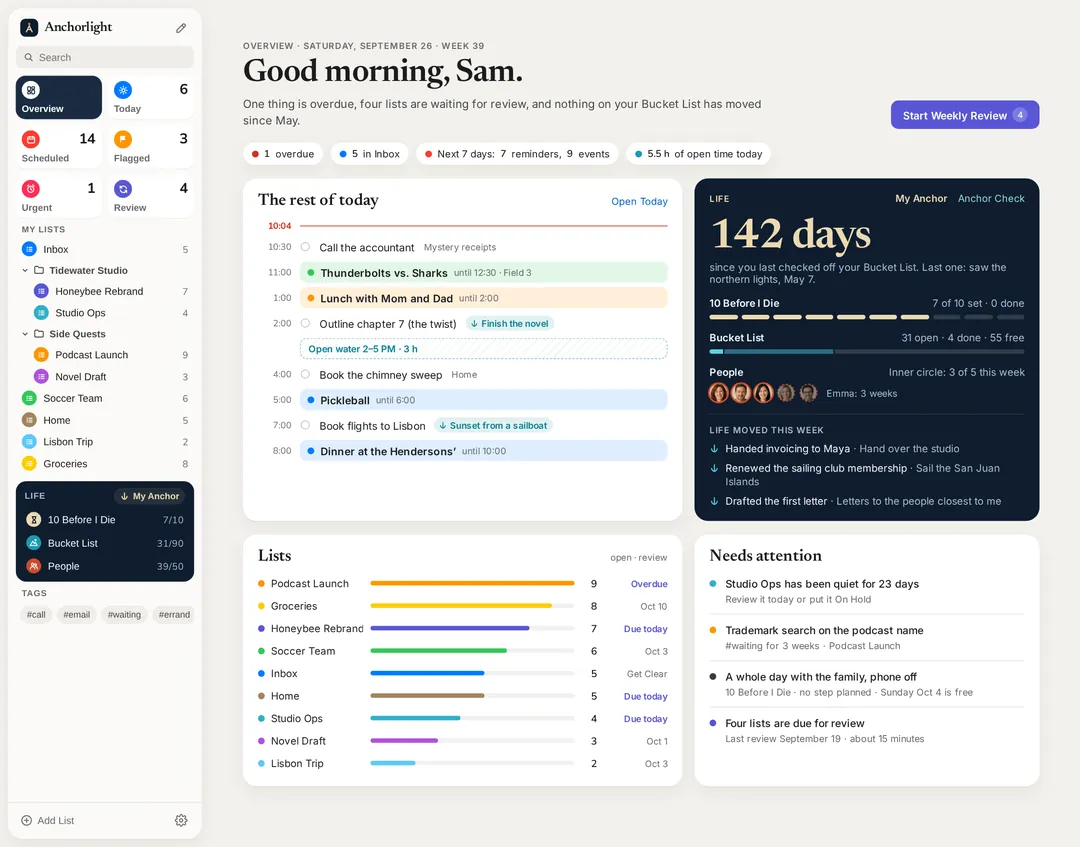
Once a week, you see which of your anchors moved and which went quiet.
Your day, with room to breathe.
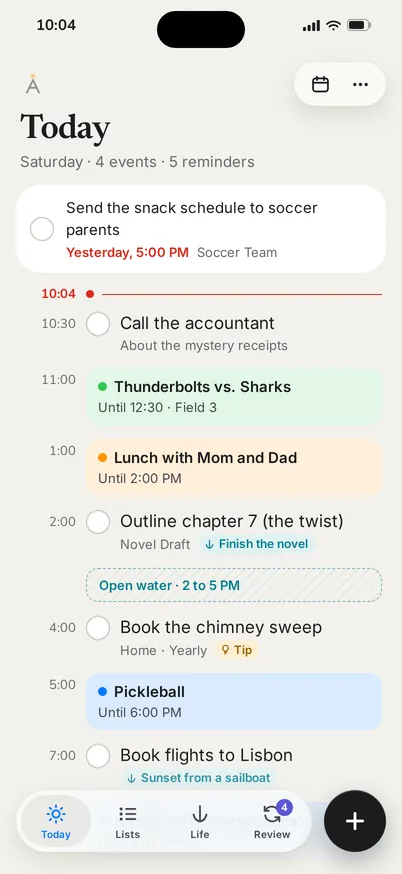
Meetings and reminders on one timeline, with the open water in between. Anchorlight reads your calendars. It never writes to them.
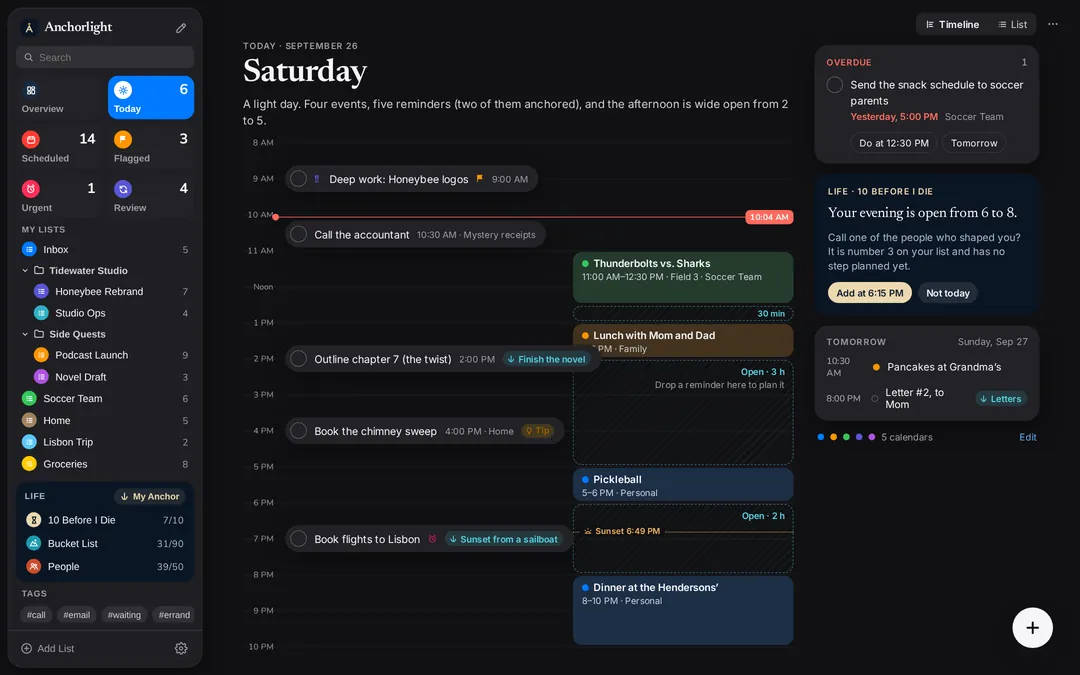
Today on the web, in dark mode
Once a week, look up.
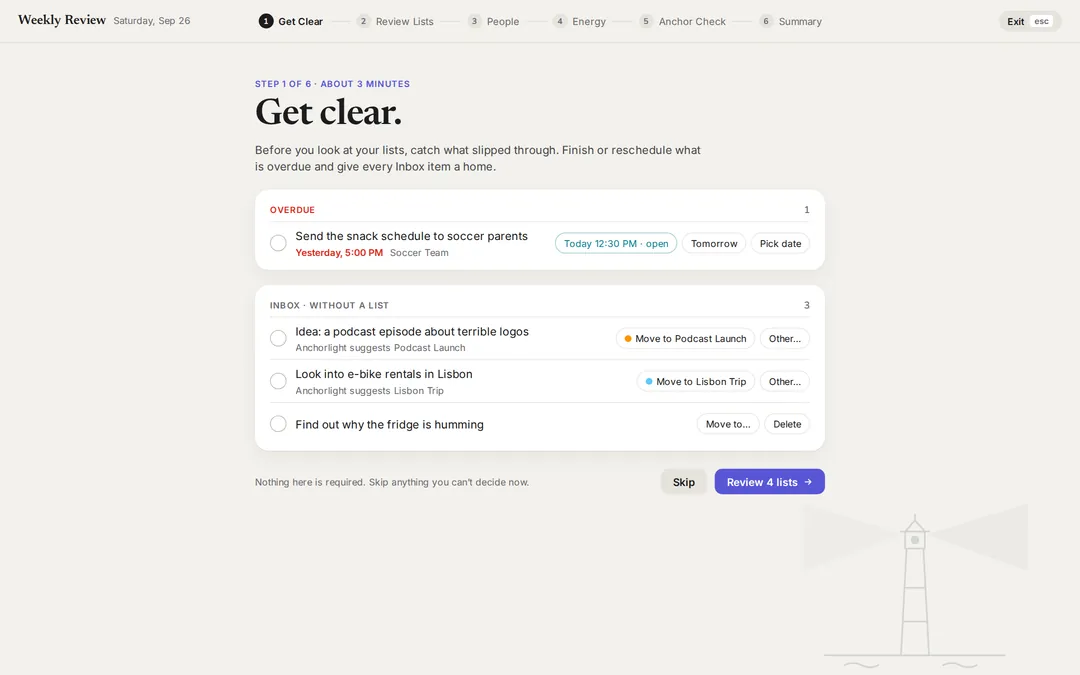
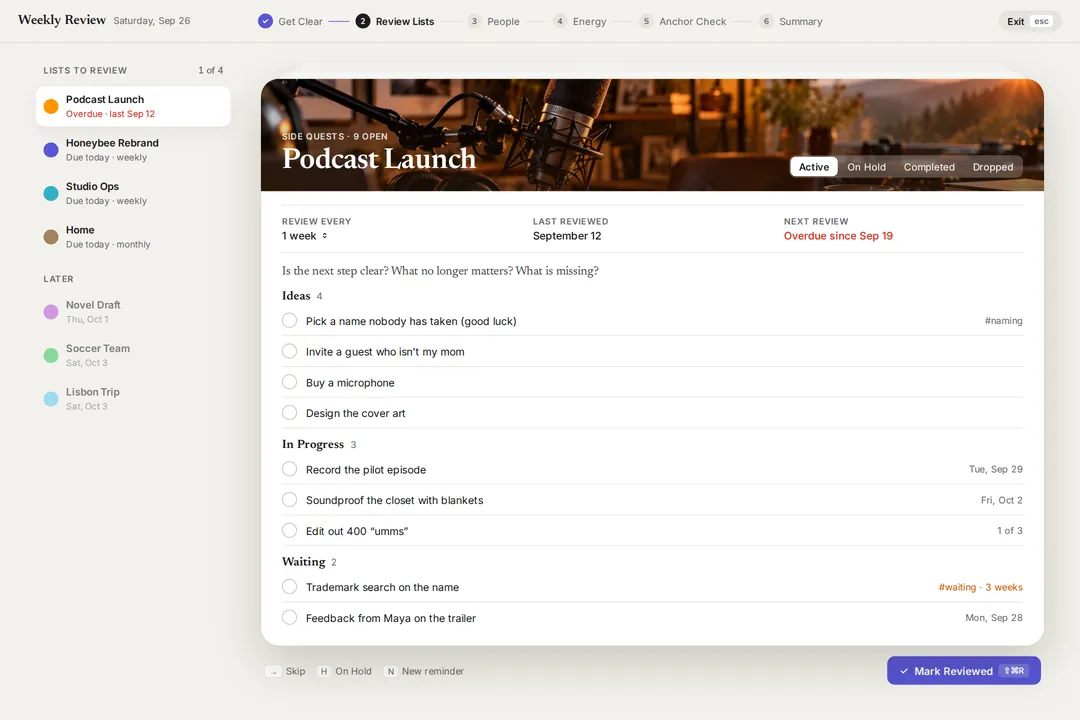
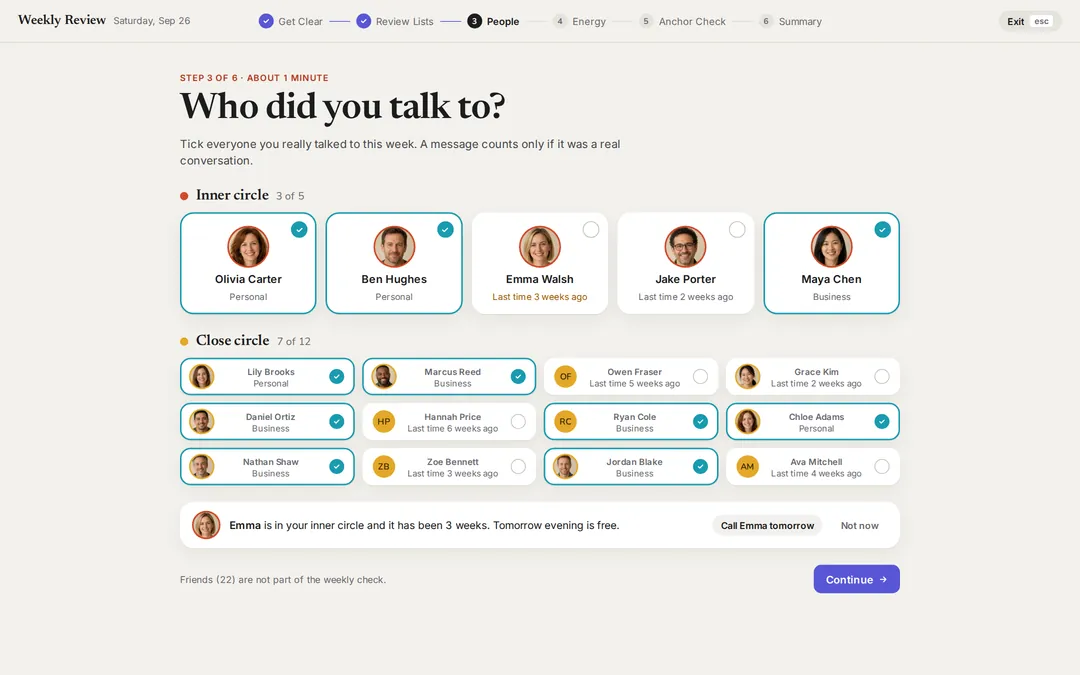
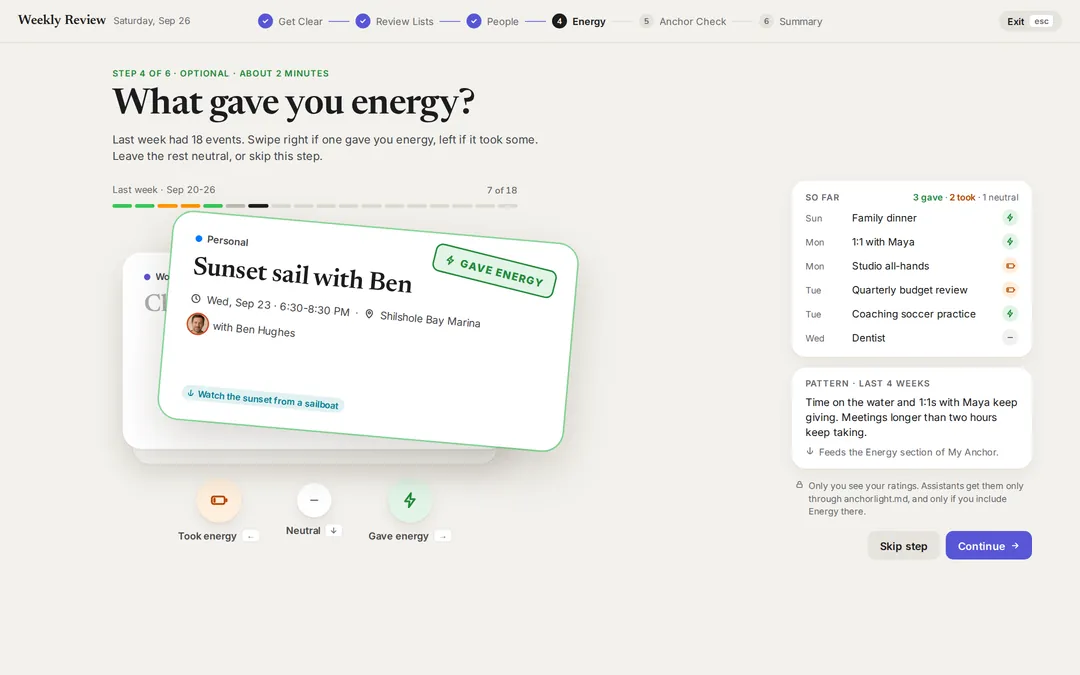
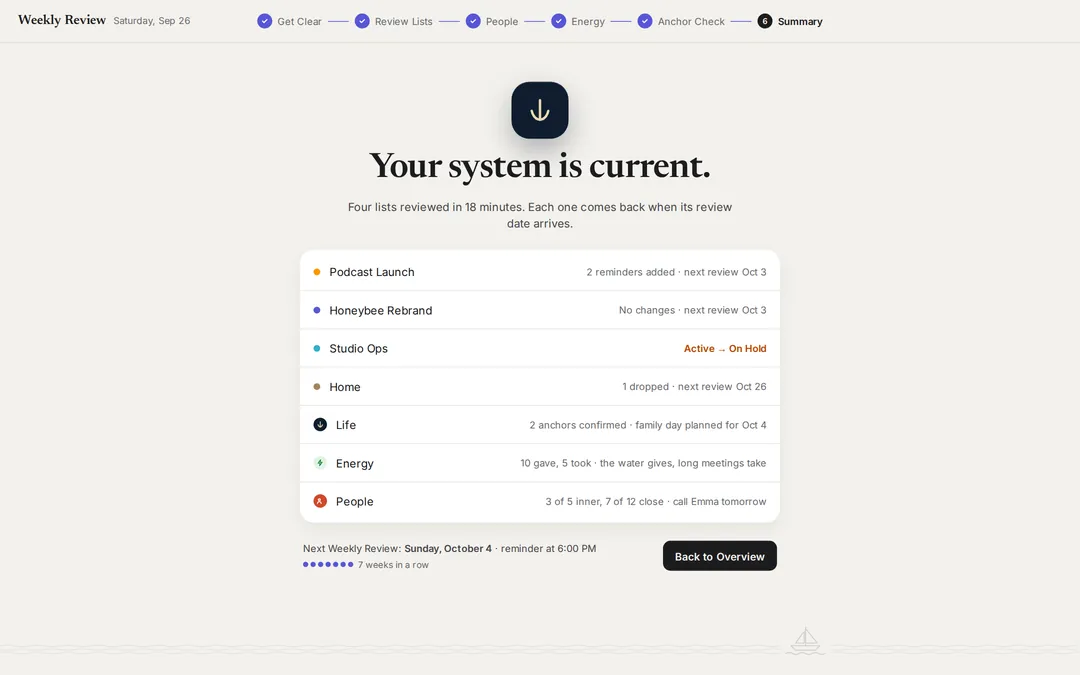
Twenty quiet minutes on Sunday. Clear your head, review every project, check in on your people, notice what gave you energy, and answer one honest question.
AI that works for you.
Not on you.
When a reminder could use a hand, a tip lights up. Hand it to Claude, ChatGPT or Grok, and it comes back with a shortlist, a draft or a plan. AI prepares. You decide.
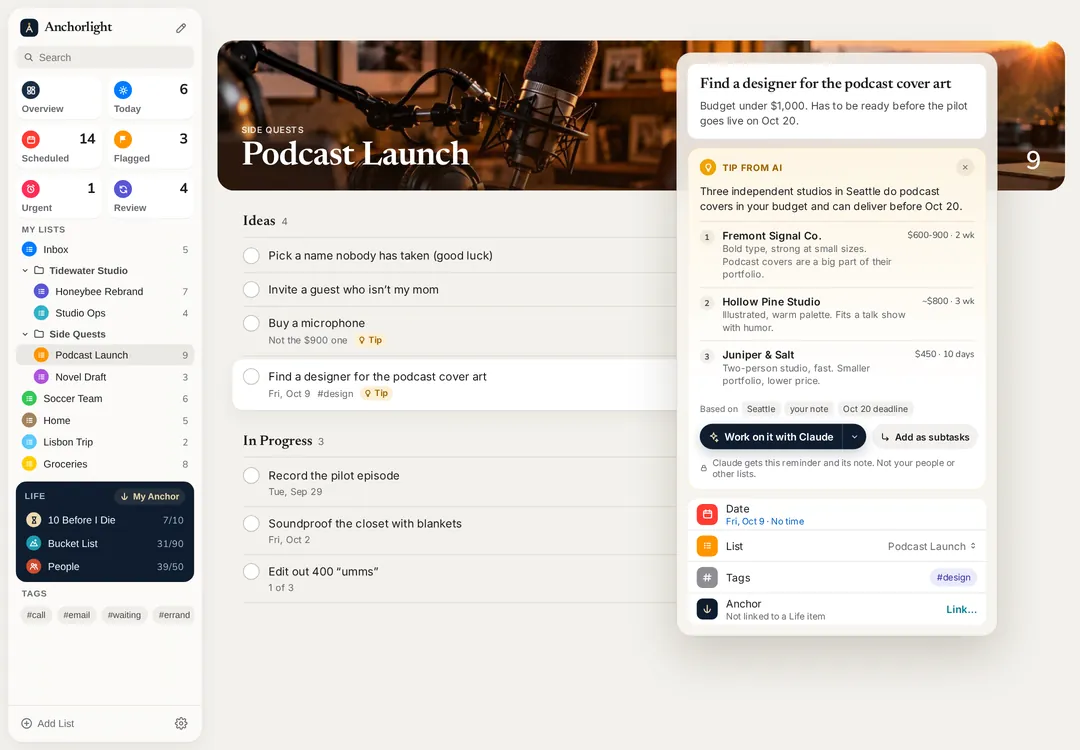
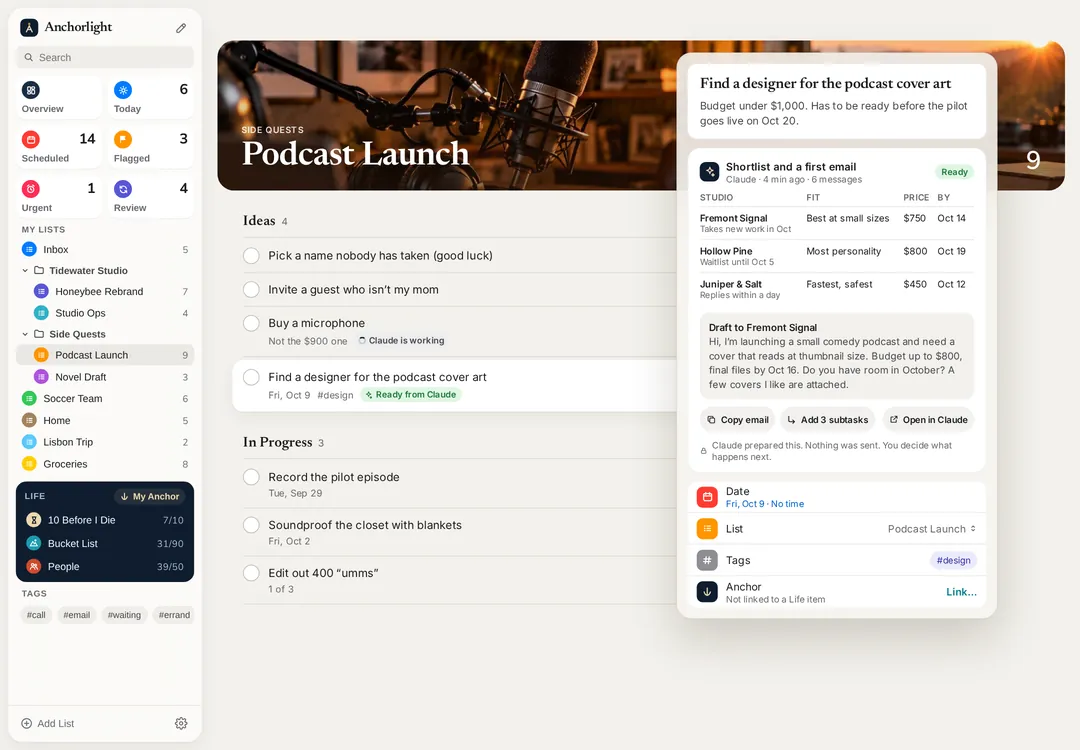
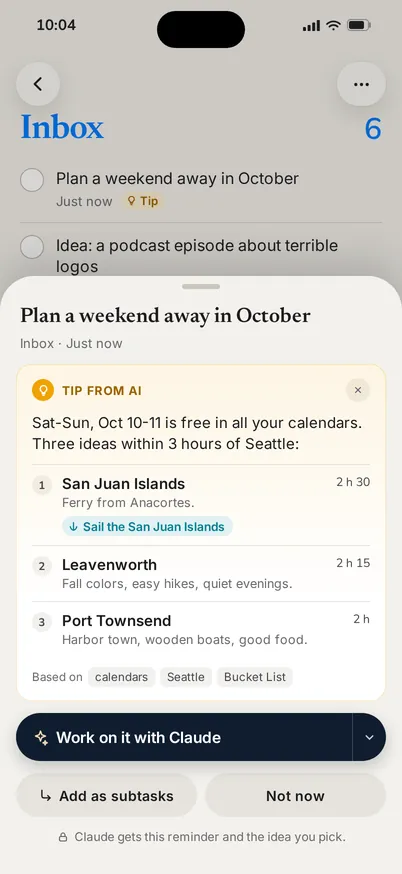
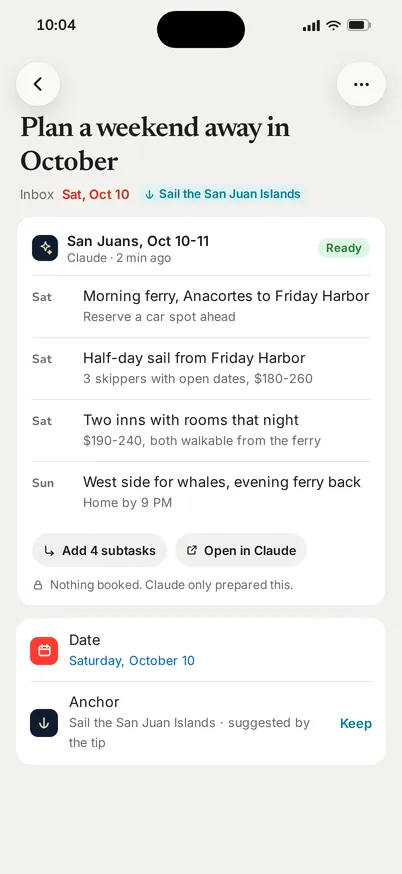
Give every assistant the same compass.
One page that says where your life is headed. And one file, anchorlight.md, that tells your assistants who you are before they plan anything for you. You choose what’s in it.
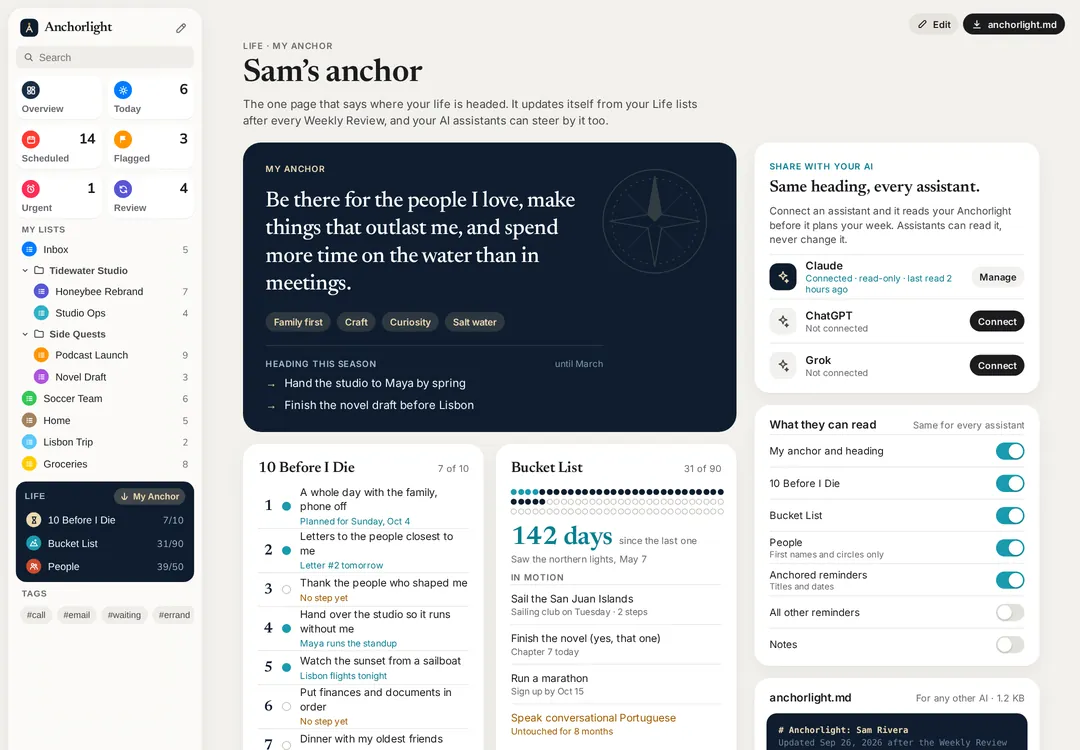
# Sam · AnchorlightUpdated Sep 27, 2026 ## What anchors meFamily first. Make things that last.Leave room for the sea. ## 10 Before I Die1. A whole day with the family, phone off2. A letter to each of the people closest to me3. Thank the people who shaped me ## EnergyGives: sailing, family meals, 1:1s with MayaTakes: meetings longer than two hours
At home on every screen.
Mac for planning. iPhone for the moment. And the web, for any computer you sit down at.
Your compass is nobody else’s business.
Your life is the one project you can’t delegate.
Anchorlight is in private beta for Mac, iPhone and the web. Join, and help me shape it.
One email when your invite is ready. No newsletter. I use your email only for the beta invite.